
Meshroom vs Replica: The Honest Comparison for Mac Photogrammetry in 2026
Search "Meshroom on Mac" and the first wave of results promises a clean install. The second wave admits there is no official macOS build. The third wave links to a six-step workaround that involves a Homebrew tap, a CUDA error you can't fix, and a forum post from 2021. So the comparison most Mac users actually need is not "which one is better" — it's "which one will run on my machine without a weekend of yak-shaving."
This post lays out where Meshroom genuinely shines, where Replica picks up the slack on macOS, and how to choose between them based on the hardware you already own.
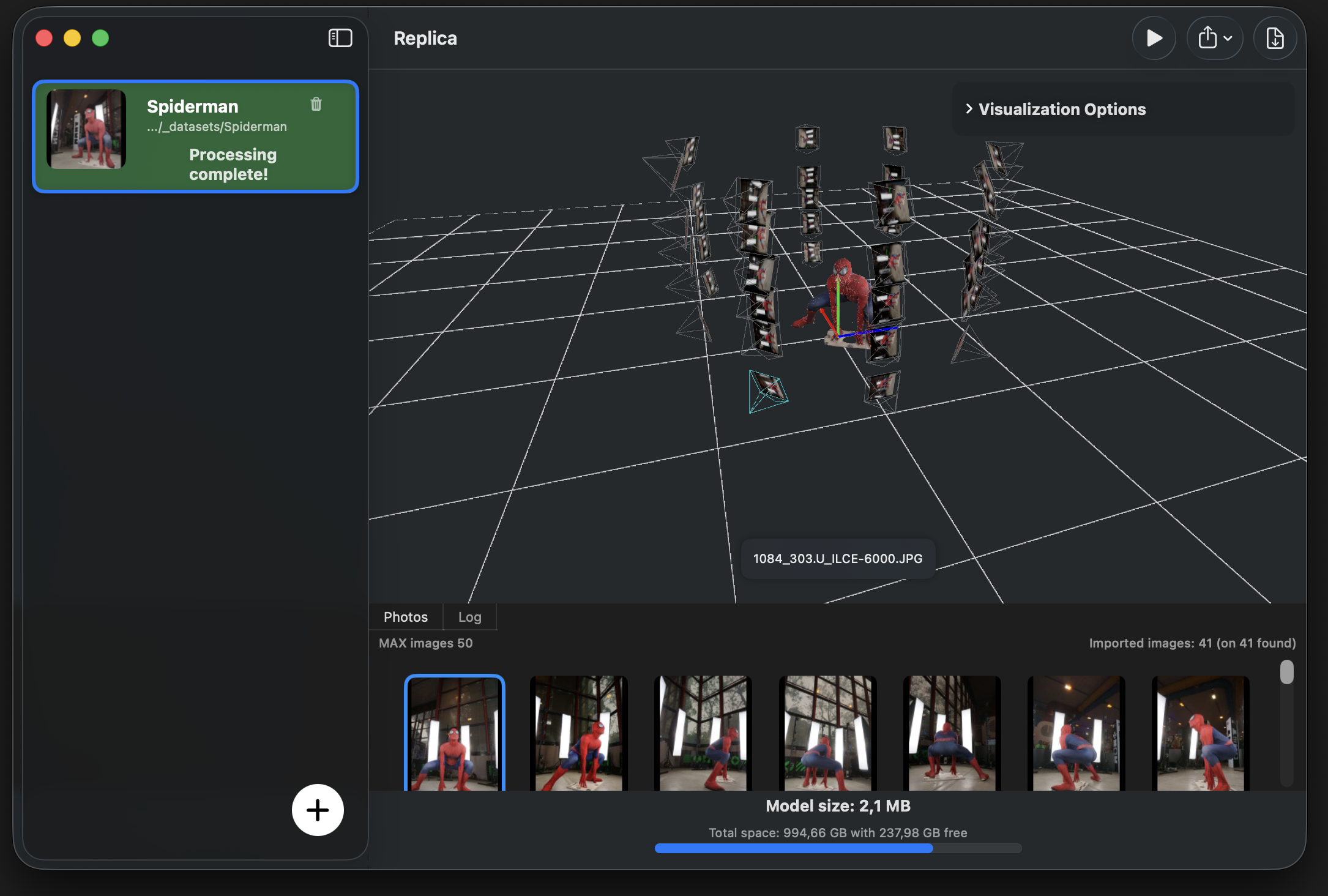 A photogrammetry reconstruction in Replica's viewer — local on macOS, no cloud, no CUDA.
What Meshroom Is, Honestly
Meshroom is the open-source flagship of the photogrammetry world. Built on the AliceVision computer vision framework, it ships a complete pipeline — feature extraction, matching, structure-from-motion, depth maps, dense reconstruction, meshing, texturing — exposed as a node graph you can rewire.
Strengths that aren't marketing:
- Free and open-source. No license, no quota, no upgrade path. Fork it and ship a derivative if you want.
- Node-based pipeline. If you've used Blender's Geometry Nodes or Houdini, the interface is immediately familiar. Every step is inspectable and replaceable.
- Research-grade algorithms. AliceVision is actively used in academic papers — the same code is behind a lot of published photogrammetry research.
- Big community. Documentation, tutorials, plugins (geolocation, gaussian splatting via MrGSplat), and an active GitHub.
That's the upside. Here's the part Mac users find out the hard way.
The Mac Problem
There is no official macOS release of Meshroom. The download page lists Windows and Linux. The releases on GitHub follow the same pattern. This is not an oversight — it's structural.
The depth-map computation, which is the heaviest stage of the pipeline, is implemented in CUDA. CUDA is NVIDIA's proprietary compute API. Apple Silicon Macs (M1, M2, M3, M4) have Apple-designed GPUs. Intel Macs from the last several years have Intel or AMD GPUs. None of them run CUDA.
Without a CUDA-capable NVIDIA GPU, Meshroom falls back to Draft Meshing — a CPU-only path that produces low-quality previews, not the production reconstructions the pipeline is designed for. The dense MVS step that gives photogrammetry its accuracy is simply unavailable.
Workarounds exist, but each has a cost:
- Meshroom-CL — a community fork that swaps CUDA for OpenCL. Works on more hardware, but lags the main release and has a smaller user base.
- ZLUDA — a translation layer that lets some AMD GPUs run CUDA code. Doesn't help Apple Silicon at all.
- Compile from source on an Intel Mac with an external NVIDIA enclosure. Possible. Painful. Mostly historical at this point — Apple removed NVIDIA driver support years ago.
If you have a Windows tower with a 30-series or 40-series NVIDIA card, Meshroom is one of the best free tools you'll ever run. On a Mac, the path of least resistance ends in a different application.
What Replica Is, Honestly
Replica is a native macOS photogrammetry app built around Apple Silicon. It uses Apple's Metal GPU stack — the same one Photos, Final Cut, and Xcode compile against — instead of CUDA. That's the entire reason it exists: to give Mac users a serious photogrammetry pipeline without forcing them to dual-boot or buy a Windows machine.
Strengths that aren't marketing:
- Runs natively on M-series Macs with no driver setup, no GPU enclosure, no Linux VM.
- Free tier processes up to 50 images per project — enough to reconstruct most small-to-medium objects, including everything in the iPhone-only workflow.
- Default export is USDZ, viewable in macOS Quick Look and AR Quick Look on iPhone with no extra software. OBJ, FBX, GLB, and STL export through Blender integration.
- Local-only processing. Photos never leave your machine — relevant if you're scanning client work, archived artefacts, or anything under NDA.
- Configuration presets (Pro) for repeatable production runs across batches.
The trade-off: Replica is not open-source, and the free tier is capped at 50 images. For most hand-held captures of single objects, that cap is generous; for drone surveys or 200-image building scans, you need the Pro tier.
Side-by-Side
A direct comparison, at the level of detail that actually matters when you're deciding which one to install.
| Meshroom | Replica | |
|---|---|---|
| Officially supported on macOS | No | Yes |
| GPU required | NVIDIA CUDA (compute capability ≥ 3.0) | Apple Silicon GPU (Metal) |
| Apple Silicon | Not supported | Native |
| Cost | Free, open-source | Free tier (50 images) + Pro |
| Interface | Node graph | App-style with presets |
| Default export | OBJ / Alembic | USDZ |
| Other formats | OBJ, FBX, GLB via export nodes | OBJ, FBX, GLB, STL via Blender bridge |
| Local-only processing | Yes | Yes |
| Cloud option | None | None |
| Time to first model on a Mac | Hours to days (workarounds) | Minutes |
Where Each Tool Wins
Meshroom wins if you have NVIDIA hardware, want full control over every node in the pipeline, are doing research that requires reproducible open-source tooling, or you need a free option you can run offline on a Linux render farm. The node graph is genuinely powerful once you get past the first surprise that processing a 60-photo set can take an evening on default settings.
Replica wins if you're on a Mac and want a working result the same day. The capture-to-USDZ loop is short — open Replica, drop in 40-80 photos, hit Start, come back to a model. There's a learning curve in capture technique, not in the software. For developers, Replica Link turns a Mac mini into a photogrammetry server with an HTTP API for remote jobs.
"I picked Mac as the target platform on purpose. Most photogrammetry tools assume a Windows tower with a discrete NVIDIA GPU, but the photographers, archaeologists, and product designers I work with all carry MacBooks. We built Replica so that the laptop they already own does the job — Apple Silicon turned out to be excellent for this kind of compute." — Ennio Pirolo, CEO Ambiens
Decision Framework
A short version, for the decision you're actually trying to make.
| Your situation | Use |
|---|---|
| Windows or Linux machine, NVIDIA GPU, comfortable with node graphs | Meshroom |
| Mac (any chip), want a working pipeline today | Replica |
| Research project that needs to be reproducible from open source | Meshroom |
| Client work under NDA, processing must stay on the Mac | Replica |
| Drone survey of a site, several hundred photos | Meshroom (with NVIDIA) or Replica Pro |
| One-off 3D print of a real object | Replica + the photos-to-3D-print guide |
The two tools are not fighting for the same user. They overlap in what they produce, but the hardware split is real, and pretending otherwise wastes everyone's afternoon.
Closing Perspective
Open-source software is a public good. Meshroom is one of the better examples of what a research community can build and release — and if you have the hardware, it deserves the attention. The honest answer for Mac users, though, is that the two tools live on different operating systems for reasons that are unlikely to change.
Pick the one your machine can run. Spend the saved hours on capture technique — that's where most of the quality actually lives, regardless of which pipeline processes the photos.
Try the Workflow on Your Mac
- Practice dataset: Appian Tomb (free) — 116 photos of a Roman tomb in Rome, captured hand-held with an iPhone. Drop them into Replica and you'll have a textured mesh in minutes.
- Get Replica: download here — free tier, no credit card.
- Manual: getting started, session configuration.
Questions? Email us at info@ambiensvr.com.