
Autodesk Joined the AI 3D Race. Here's Where Photogrammetry Still Wins.
In March 2026, Autodesk launched Wonder 3D inside Flow Studio: text-to-3D, image-to-3D, and text-to-image, available across every tier from Free to Enterprise. When the company that built AutoCAD and Maya adds a "type a sentence, get a 3D model" button, it's worth paying attention.
It's also worth being honest about what Wonder 3D actually does — and what it doesn't.
Autodesk's own framing is the cleanest signal. The Flow Studio team described the new generative tools as "built for iteration, not perfection." That phrase tells you exactly where the line is between AI generation and photogrammetry, and which side of it your project belongs on.
What Wonder 3D Does Well
Wonder 3D turns a written prompt or a reference image into an editable 3D asset, complete with geometry and textures. The use cases Autodesk highlighted are revealing:
- Studios prototyping characters faster.
- Virtual production and XR teams populating scenes.
- Indie developers building game assets without a sculpting team.
- Marketing and advertising producing 3D for pitches.
Notice what's not on that list. There's no mention of measurement, manufacturing, reverse engineering, or cultural heritage documentation. That's not an oversight — it's the boundary of the technology.
Generative AI tools synthesize a plausible 3D shape from a learned distribution of similar shapes. The output looks like a chair, or a dragon, or a propeller. Whether the dimensions match a real chair, dragon, or propeller is a different question. Reviewers who've spent time with Wonder 3D describe the results as "low-to-mid level of detail" — useful as a starting point you refine manually, not as final geometry.
That's fine. Concept work, look-dev, and early-stage prototyping don't need millimeter accuracy. They need volume — lots of variations, fast.
Where Photogrammetry Still Wins
Photogrammetry doesn't generate. It reconstructs. You take dozens or hundreds of photos of a real object from multiple angles, and the software triangulates the actual surface from those overlapping views. There is no hallucination, no learned distribution, no guess about what the back of the object looks like — because the back was photographed.
This matters in four areas where AI generation falls short today:
1. Anything You Plan to 3D Print
3D printing is unforgiving. If a generated model is 8% off in one dimension, it won't fit the bracket you're trying to replace. It won't sit flat on the print bed. The screw holes won't line up. Close-range photogrammetry routinely achieves sub-millimeter precision on small objects under good capture conditions — accuracy that puts physical-world constraints back into the workflow.
2. Cultural Heritage and Documentation
A 2026 study on AI-generated heritage models found recurring structural hallucinations — extra fingers in Buddhist hand gestures, malformed proportions in iconography from low-resource cultural domains. The pattern was consistent: where training data was thin, the AI invented plausible-looking but historically wrong detail.
Photogrammetry has no opinion about what an artifact "should" look like. It captures what's there. For documentation, restoration reference, or museum archives, that's the entire point.
3. Reverse Engineering and Replacement Parts
Need a 3D model of a vintage handle, a discontinued bracket, or a custom mold? You want the geometry of that specific physical object, not a generated approximation that resembles it. AI generation can't see the worn edge, the manufacturing tolerance, or the asymmetry your replacement needs to match.
4. Anything You'll Measure Later
If a downstream step in your pipeline involves a measurement — surface area, volume, a fit check, a clearance — you need real geometry. AI-generated meshes are abstract: they have units, but those units don't reliably correspond to the object you photographed.
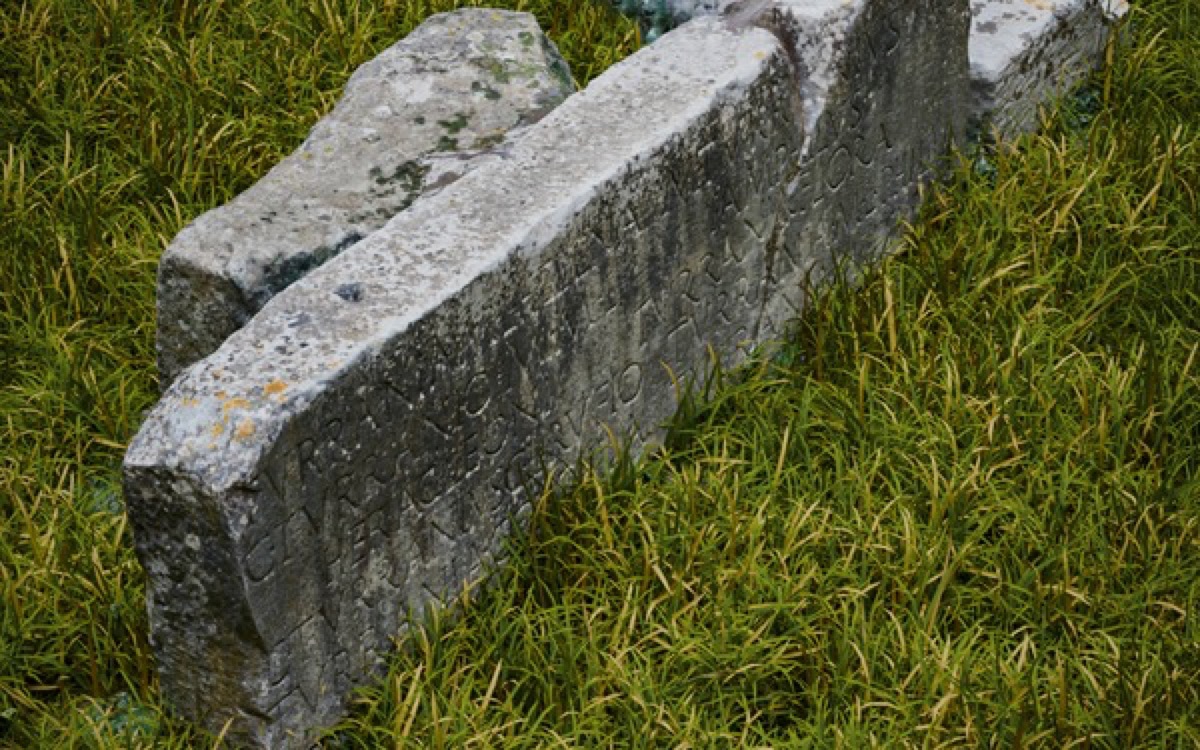 Photogrammetry of a tomb on the Appian Way. Captured by photos, reconstructed from real geometry — not generated.
Where Replica Fits In
Replica is a native macOS photogrammetry app. It runs entirely on your Mac — no cloud upload, no credits per generation, no waiting in a render queue. You point it at a folder of photos and you get back a real mesh: USDZ by default, or OBJ, FBX, and GLB through Blender export.
A few things make this a useful complement to whatever AI workflow you're running:
- Local processing. Your photos and your geometry stay on your machine. For client work, NDAs, or sensitive subjects, that's not a luxury.
- Apple Silicon native. M-series chips do the work directly. No round-trip to a remote GPU farm.
- Real geometry, real units. What you capture is what you measure.
- Up to 50 images on the free tier, unlimited on Pro. Enough to test the workflow before committing.
If you've already started using Wonder 3D for concept and look-dev, photogrammetry isn't a replacement — it's the other half of the pipeline. Generate the props no one will measure. Photograph the ones that need to fit, print, or document something real.
A Quick Decision Framework
Ask one question: does anyone need to trust the dimensions?
- No, this is concept art / a background prop / a stylized asset. → AI generation is fine. Wonder 3D, Tripo, Rodin — pick the one that fits your subscription.
- Yes, someone needs to print this / measure this / match it to something physical. → Photogrammetry. Take photos, run them through Replica, keep the geometry honest.
The Bigger Picture
Autodesk entering the AI 3D space confirms what was already obvious: generative tools are now part of the 3D pipeline. That's good. They're fast, they're cheap, and they unblock work that used to require a sculptor.
But "generated" and "captured" are not the same word, and they're not interchangeable in every project. A studio building a fantasy game and a museum digitizing an artifact have different needs. A YouTuber making a thumbnail prop and an engineer printing a replacement part have different needs.
The right tool depends on what your model has to do next. Autodesk's own line — "built for iteration, not perfection" — is the clearest answer anyone has given. When iteration is the goal, generate. When the model has to be true to something real, photograph it.
Curious to try the photogrammetry side? Get started with Replica — the free version processes up to 50 images, and the only thing you need is a folder of photos.
Cover image courtesy of Autodesk.